Navigate with Lyft Maps between rides

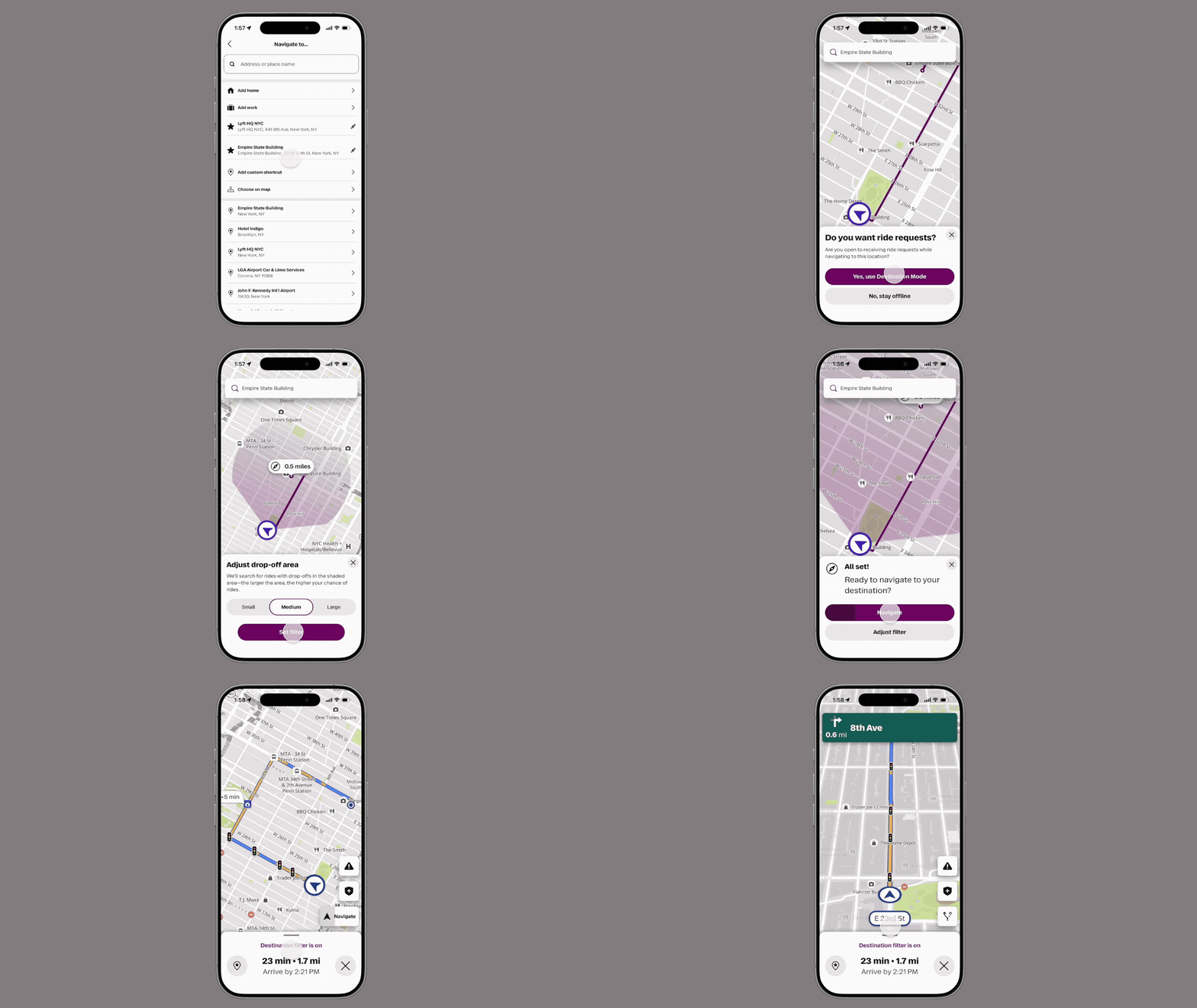
Lyft Maps now gives you the full power of Lyft's navigation anytime, even when you're not giving rides. Get directions to any destination and save your go-to spots, with the option to keep earning along the way.
Getting started
To start navigating, tap the search icon in the Lyft Driver app to open the map panel. From there, you can search for any address and start turn-by-turn directions instantly, even when you’re offline.
Save your favorite places
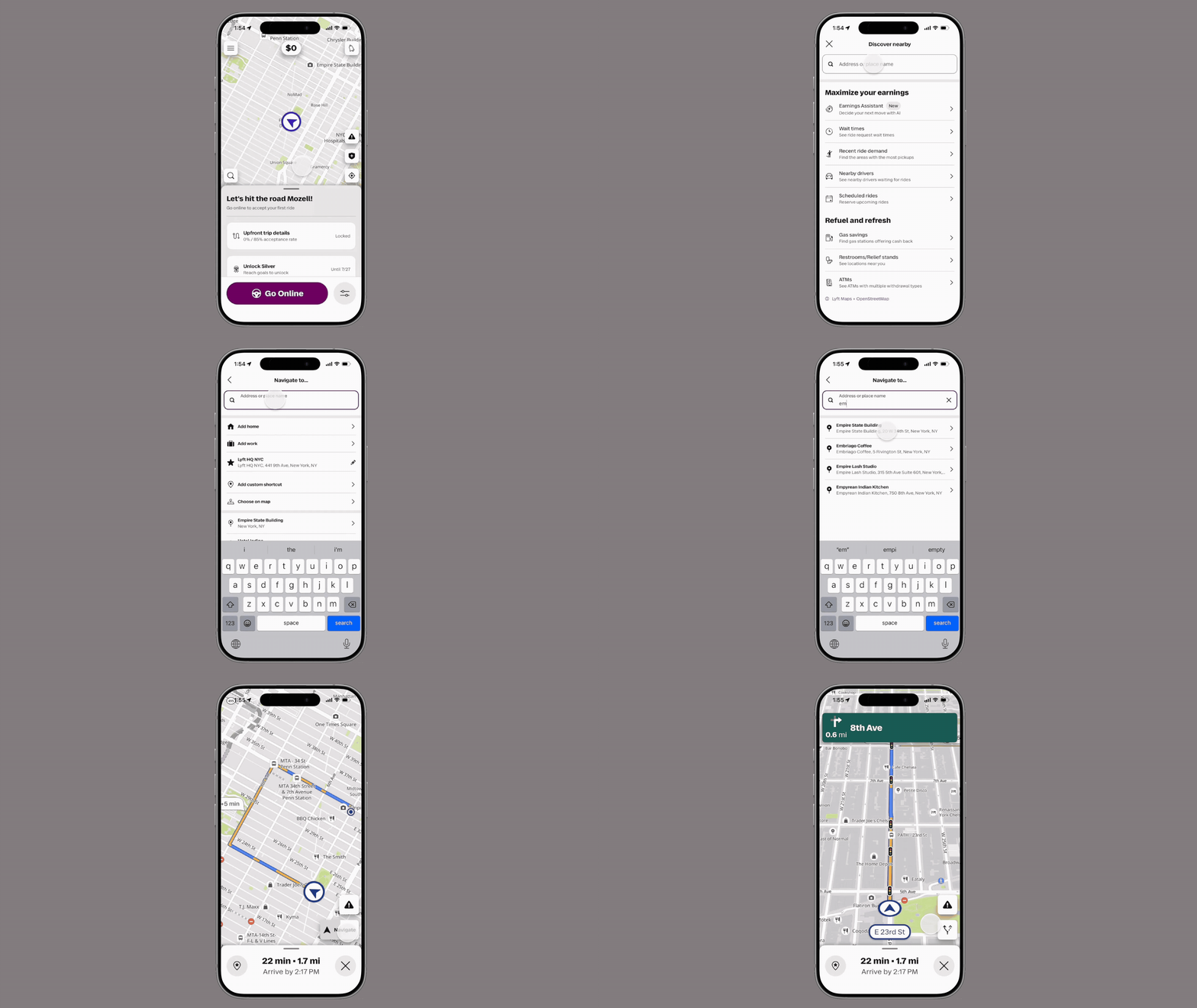
Save frequently visited addresses as favorites for fast, easy navigation whenever you need it. Tap the pin icon while navigating to an address to save it.
Earn while you navigate
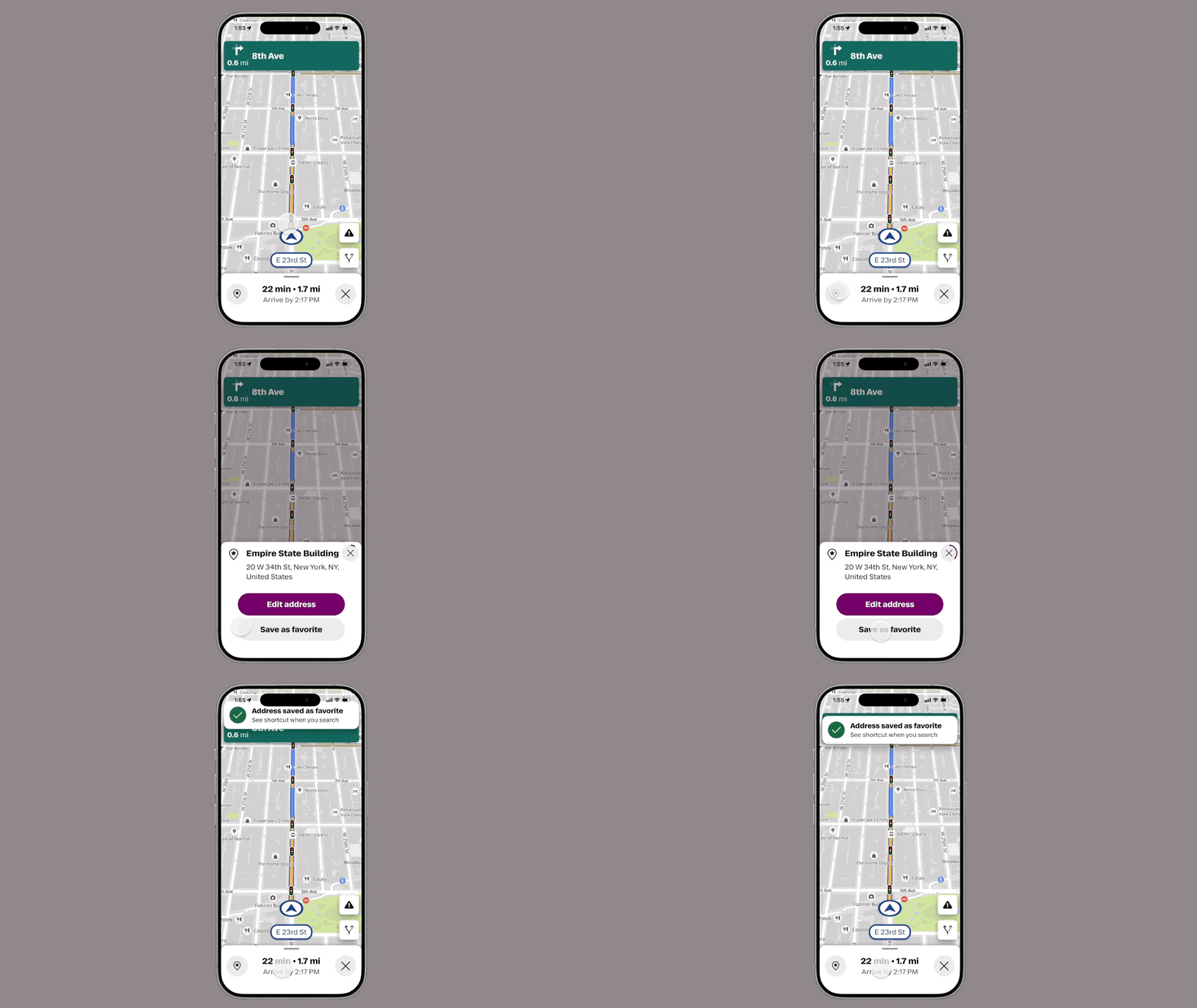
Lyft Maps now makes it easy to turn on a destination filter and get ride requests along your route — so you can start earning any time you navigate.
Go anywhere on the map
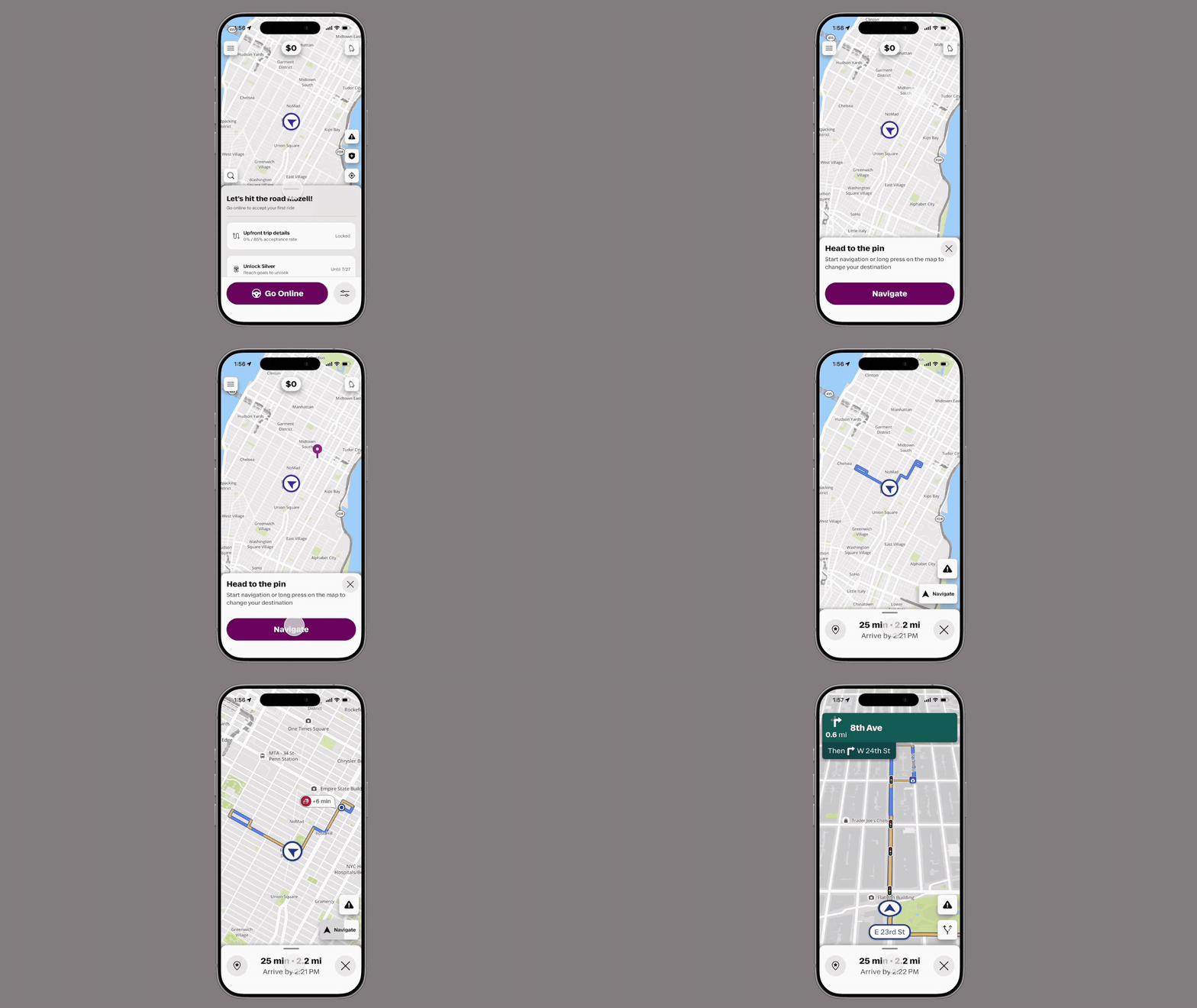
Drop a pin on any location to set it as your destination and start navigating right away. Long press anywhere on the map to place a pin.